How to connect Siigo with Shopify: step-by-step integration guide
Connect Siigo with Shopify so every order becomes a DIAN electronic invoice in Siigo: requirements, VAT setup, credit notes, common errors and pricing.

Carlos Betancur · CEO and founder of btodigital
7 min read
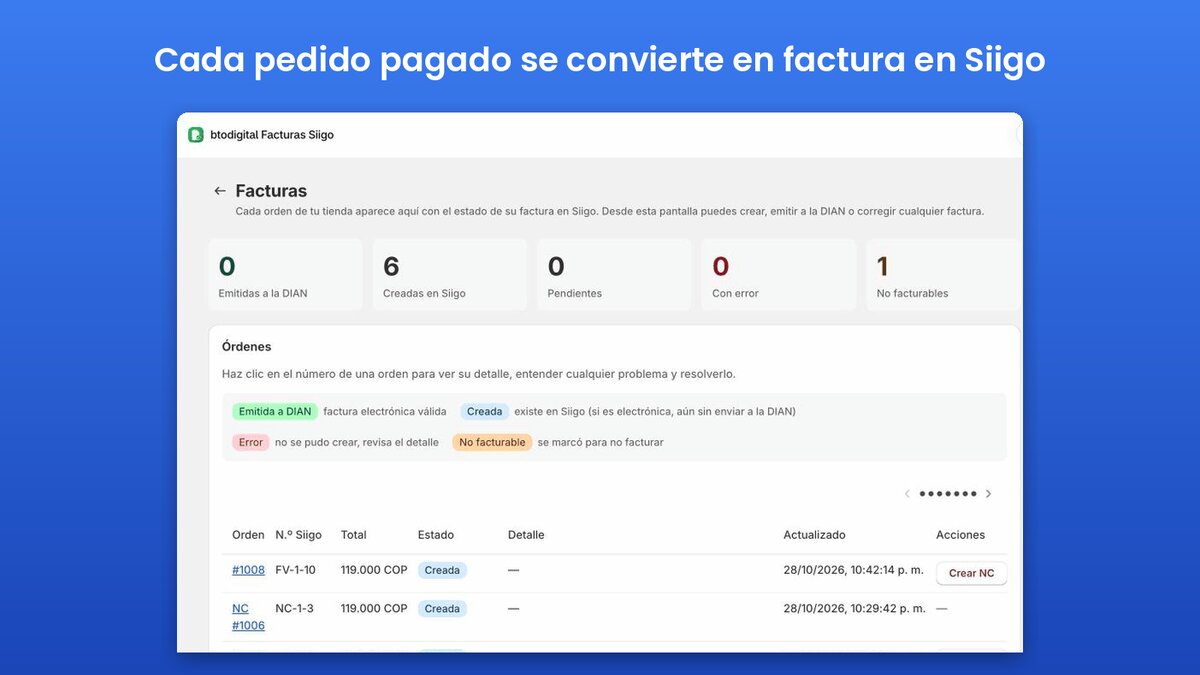
To connect Siigo with Shopify, install an integration app such as btodigital Facturas Siigo, paste your Siigo Nube API user and AccessKey, choose the electronic invoice document, how VAT is handled and when to invoice, and sync your products by SKU. From then on, every order becomes an invoice in Siigo, submitted to the DIAN or saved as a draft.
If you sell on Shopify and run your accounting in Siigo, the Colombian cloud accounting and invoicing software, you know the routine: every order has to be copied by hand into Siigo to issue the electronic invoice that the DIAN (Colombia's tax authority) requires. With ten orders a day it is tedious. With a hundred, it means VAT mistakes, invoices that never get issued and credit notes nobody creates when a customer gets a refund.
This guide explains how to connect Siigo with Shopify so every order is invoiced automatically: what you need before you start, how to set up VAT and the DIAN submission, and how to fix the most common errors. We use btodigital Facturas Siigo as the example, the app we built at btodigital and published on the official Shopify App Store. Note that the app's interface is in Spanish.
What is a Shopify Siigo integration?
A Shopify Siigo integration links your online store with your accounting software so that the electronic sales invoice for each order is created in Siigo without manual work. Shopify does not issue DIAN invoices on its own, and Siigo does not know what you sell in your store; the integration is the bridge between them.
A good integration does more than copy the order total. It has to:
- Create or update the customer in Siigo with their national ID (cédula) or tax ID (NIT).
- Match each Shopify product with the same product in Siigo.
- Calculate VAT (IVA) so the invoice total matches the order total.
- Submit the invoice to the DIAN, or keep it as a draft for review.
- Create the credit note when you issue a refund.
What you need before connecting Siigo and Shopify
- A Shopify store, on any plan.
- A Siigo Nube account with API access, and an administrator user for the Siigo customer portal.
- Products with SKUs. The SKU is what links a Shopify product to the same product in Siigo. Products without a SKU cannot be invoiced.
- A checkout that asks for the cédula or NIT. Siigo requires the customer's ID to issue a valid invoice.
How to connect Siigo with Shopify, step by step
1. Install the app
Open the btodigital Facturas Siigo listing on the Shopify App Store and click install. Shopify shows three plans (Emprende, Crece and Pro) based on how many invoices you issue per month, all with a 7-day free trial. When you open the app, an onboarding guide walks you through connecting Siigo, setting up invoicing and syncing your catalog.
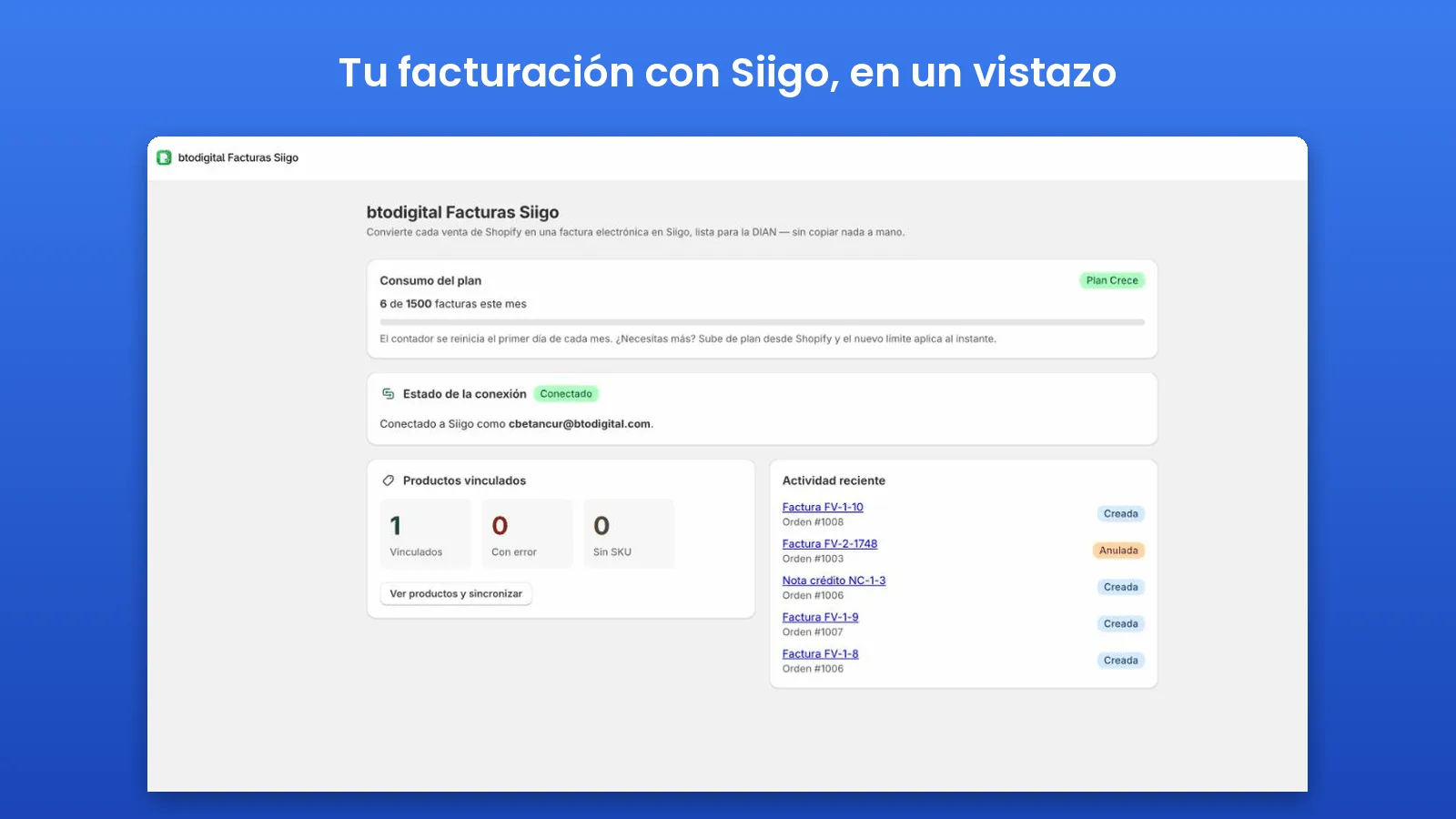
2. Generate your Siigo API credentials
In the Siigo customer portal, signed in as an administrator, go to Configuración → Alianzas e integraciones → Credenciales Siigo API (some accounts show it as «Generar credenciales API»). Copy your API user, which is an email address, and generate your AccessKey. If your company is a registered Siigo partner you will also have a Partner-Id, which some accounts require.
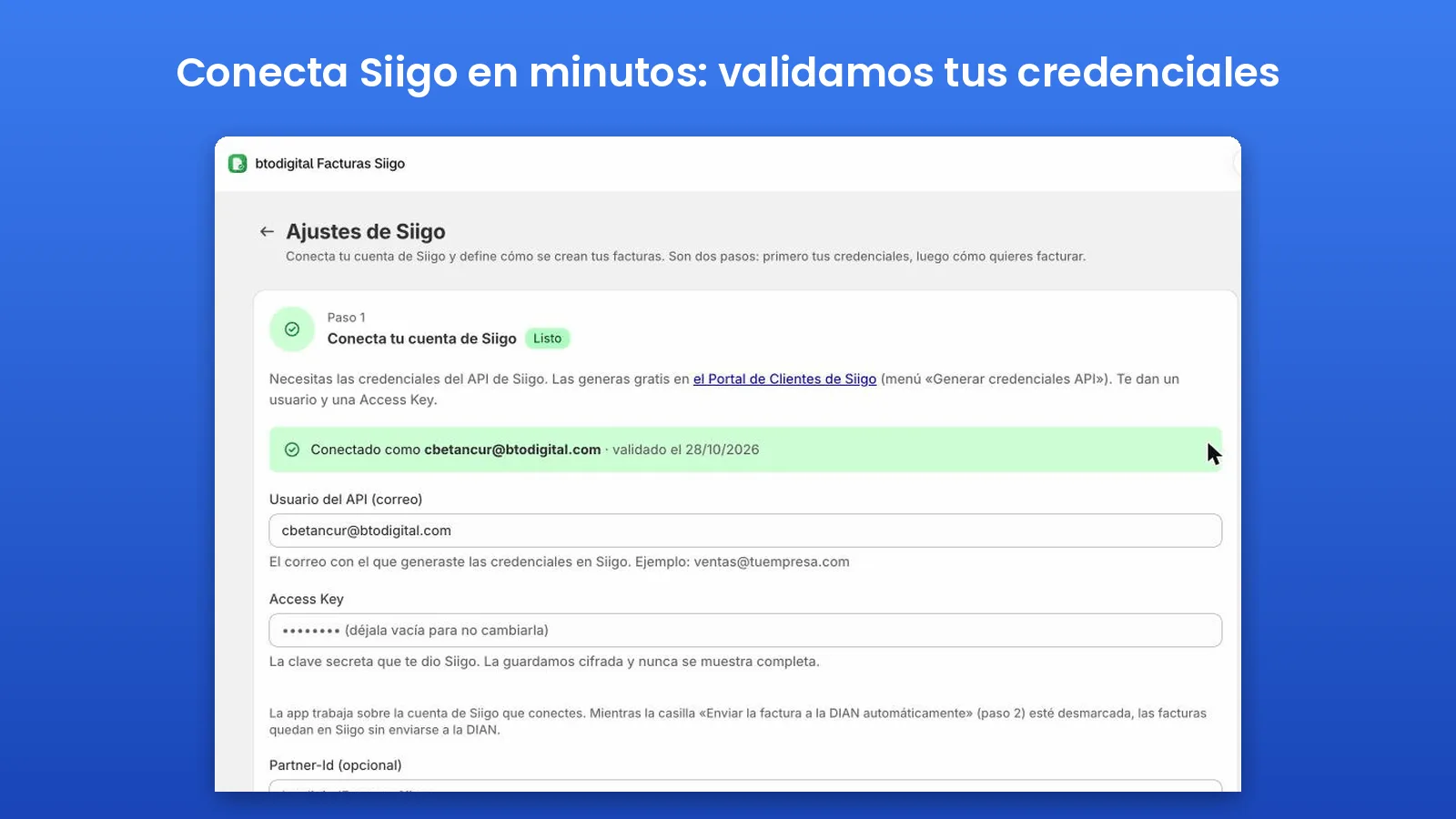
3. Connect the app to Siigo
In the app, open Ajustes Siigo → Credenciales de Siigo API, paste the user and the AccessKey, choose the environment (Production to invoice for real, Sandbox for testing only) and click Guardar y validar (save and validate). The app checks the credentials against Siigo and loads your catalogs: document types, taxes and sales reps. The AccessKey is stored encrypted with AES-256-GCM and is never displayed.
4. Set up invoicing
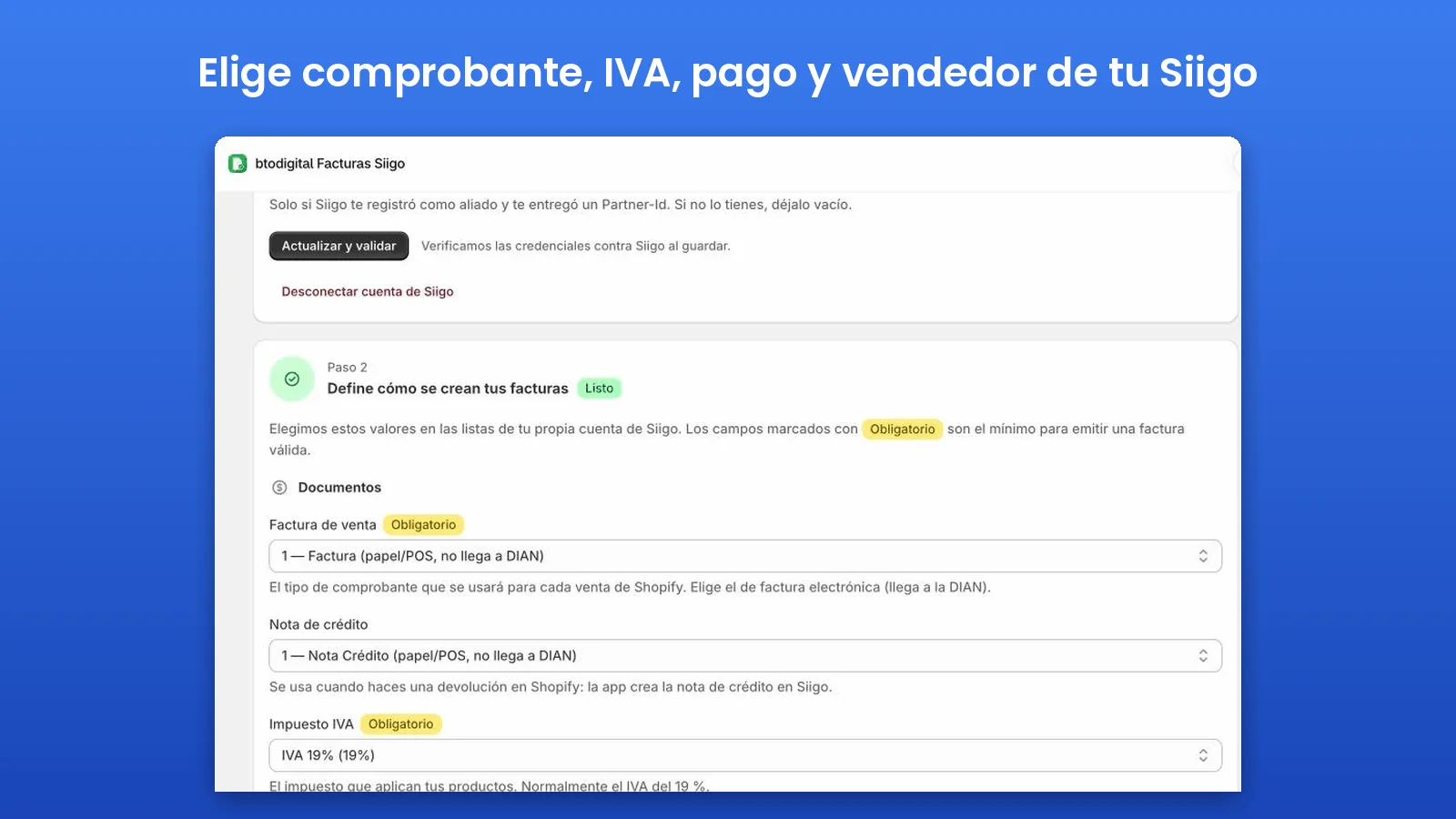
In Ajustes Siigo → Configuración de facturación you define how each invoice is built:
- Sales document type: pick your electronic sales invoice, the one that goes to the DIAN.
- Credit note type: the document used when you issue a refund in Shopify.
- Tax: usually 19% VAT; you can also pick 5% or VAT-exempt products from your Siigo catalog.
- Default payment method and sales rep, plus warehouse and cost center if you use them.
- Siigo product code for shipping (for example, 001), if you charge for shipping. That product must exist in your Siigo catalog.
5. Choose how VAT is handled
This is where manual invoicing usually goes wrong. You have three options:
- Prices include VAT (the most common setup in Colombian stores, and the recommended one): the app calculates the taxable base so the invoice total matches the order total to the cent.
- Prices exclude VAT: Siigo adds the tax on top of the price.
- No VAT: for exempt products.
6. Sync your catalog by SKU
In the Productos section, click Sincronizar ahora (sync now). The app goes through your active variants and matches them with Siigo by SKU, marking each one as OK, error or skipped (no SKU). There are three modes:
- Verify only (recommended): it does not touch your Siigo catalog; it only checks that each SKU exists.
- Create missing products: it creates in Siigo the products that do not exist yet.
- Create and update: it also overwrites data in Siigo. Use it with care.
7. Decide when to invoice and whether to submit to the DIAN
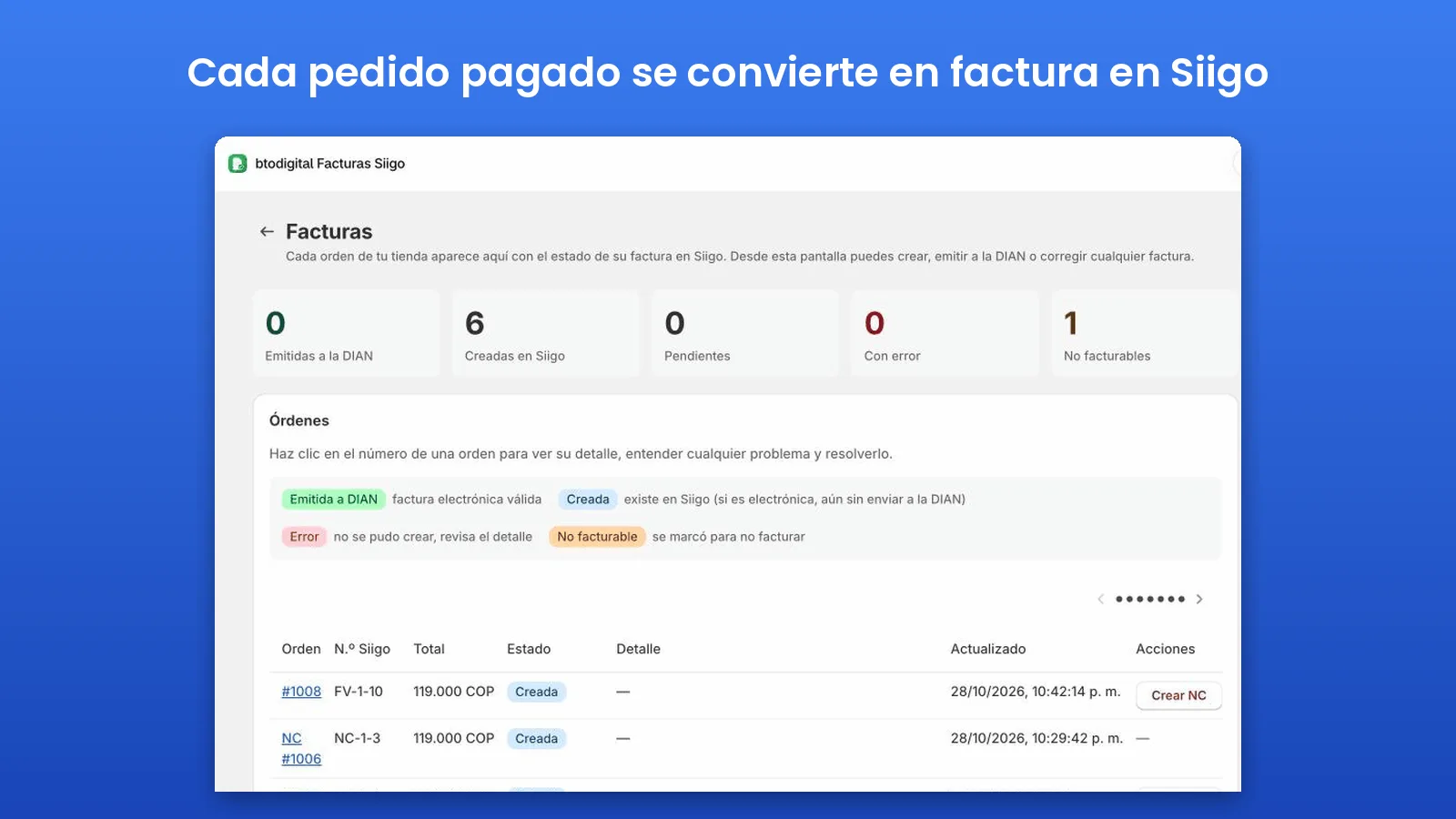
The invoice can be created when the order is paid (recommended, because it only invoices what was actually charged), when it is created, when it is fulfilled, or manually from the Facturas section. You also choose whether the invoice is submitted to the DIAN as soon as it is created or kept as a draft in Siigo so you can issue it yourself.
Our recommendation to get started: invoice on payment and keep invoices as drafts. Review the first ones in Siigo and, once everything adds up, turn on automatic DIAN submission.
What about refunds? Automatic credit notes
When you record a refund in Shopify, the app creates the electronic credit note in Siigo, linked to the original invoice. You can also create a credit note manually from the Facturas section. Your books reflect returns with no extra work.
The customer's cédula or NIT: the field you cannot skip
Siigo will not issue an invoice without the customer's ID. The app looks for it in two places on the order:
- Order note attributes named
cedula,nitordocumento. - The company field of the billing address.
That is why your checkout should ask for it. If you need help with that, it is part of what we do as a Shopify Select Partner agency.
Common errors when connecting Shopify and Siigo
- «No se encontró identificación del cliente en la orden» (no customer ID found on the order): add the cédula or NIT to the order attributes or the company field and invoice again.
- Siigo returned empty catalogs: the Partner-Id is almost always missing; some accounts (and the sandbox) require it. Also check that document types, taxes and users are active in Siigo.
- Skipped product: the variant has no SKU, or the SKU does not exist in Siigo.
- «La ciudad no existe» (the city does not exist) when creating the customer: Siigo uses DANE city codes. Complete the order address so the city resolves correctly.
- The invoice total does not match the order: check the VAT setting (included or added) and the shipping product code.
How much does the Siigo Shopify integration cost?
btodigital Facturas Siigo is billed through Shopify, in US dollars, based on the invoices you issue per month:
| Plan | Monthly | Yearly | Invoices per month |
|---|---|---|---|
| Emprende | USD 9.99 | USD 99 | Up to 500 |
| Crece | USD 21 | USD 210 | Up to 1,500 |
| Pro | USD 42 | USD 420 | Up to 4,000 |
Every plan includes automatic credit notes, SKU catalog sync, email support in Spanish and a 7-day free trial. The app warns you at 80% and 100% of your monthly usage, and you can upgrade in one click. Your Siigo Nube subscription is billed separately by Siigo.
Frequently asked questions
Can I connect Siigo with Shopify without an app?
Siigo has an API, so a custom integration is possible, but you would have to build and maintain customer creation, VAT calculation, credit notes and retries when the API does not respond. For most stores, an app from the official Shopify App Store is faster and cheaper.
Is the invoice created as soon as the order comes in?
It depends on your setting: on payment, on creation, on fulfillment, or manually. The invoice usually shows up in Siigo a few seconds after that event.
What happens if the DIAN service is down?
You can keep invoices as drafts, without automatic DIAN submission, and issue them once the service is back, or use a contingency document if your Siigo account supports it.
Does it work with several Shopify stores?
Yes. Each store that installs the app uses its own Siigo credentials, with data isolated from other stores.
Is the app available in English?
Not yet. The app interface and support are in Spanish, since it is built for businesses that invoice in Colombia.
Start invoicing your Shopify orders in Siigo
Connecting Siigo with Shopify saves hours of data entry every month and prevents VAT mistakes and missing invoices. You can install btodigital Facturas Siigo on Shopify and try it free for 7 days, or read this guide in Spanish: cómo conectar Siigo con Shopify.
Topics SiigoShopifyShopify Siigo integrationElectronic invoicingDIANColombia
Carlos Betancur
CEO and founder of btodigital
Digital marketing specialist with more than 20 years of experience helping companies in Colombia and Spain grow with data-driven strategy, SEO, paid media, e-commerce and artificial intelligence.